May 2023
Momence
One customer profile. Four businesses. Same four categories, reshuffled.
The brief
One screenshot. A wall of fields. Forty-eight hours.
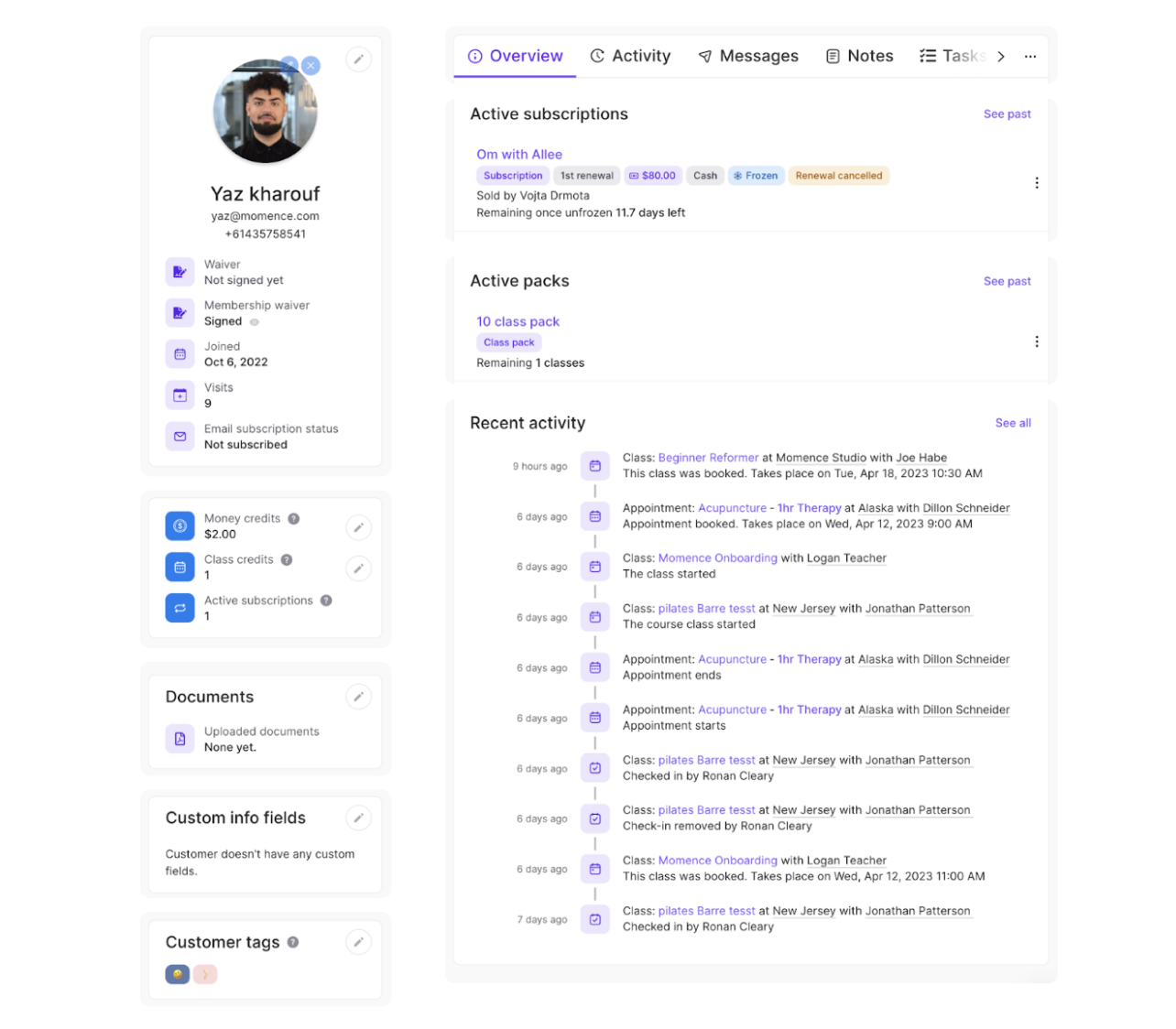
This is the entire customer profile Momence already had — identity, money, behavior, and configuration, every field at the same flat weight. No hierarchy. No per-business flex. No mobile. The brief said redesign. The real problem was that nothing in here had a name.
Decompose before you draw
Before I drew a single box, I named what was actually in the mess. The first artifact wasn't a layout — it was four nouns.
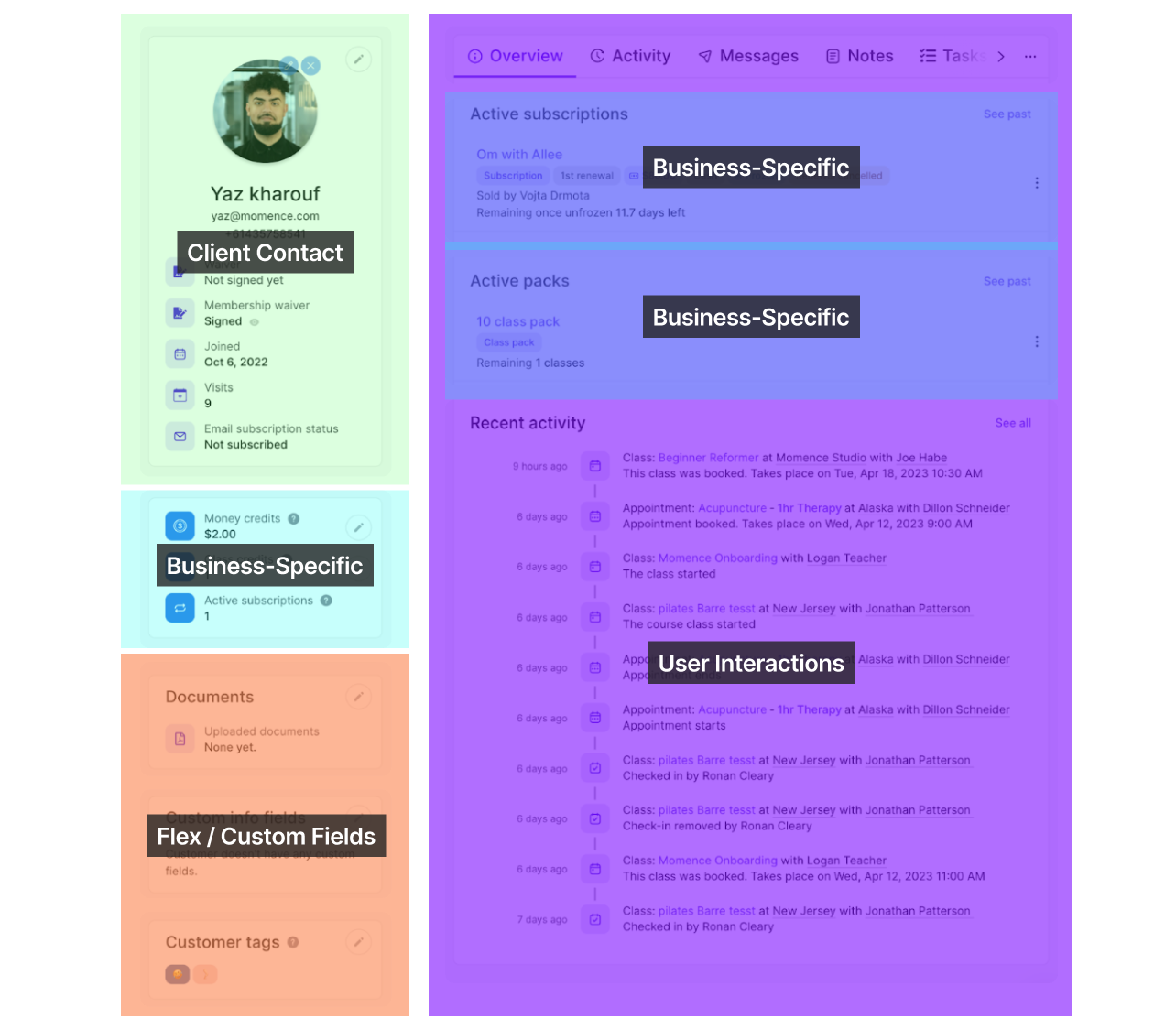
Decompose before you draw. The schema is the contract. The layout is the implementation.
You named the four. Watch what they buy you
One customer — Yaz Kahrouf — dropped into a yoga studio, a B2B coaching practice, a pilates reformer, a wellness spa. The schema on the left never changes. Only which category gets to lead. It's already cycling — take it over.
- Client Contact Identity, communication.
- Business-Specific Financials, subscriptions, credits.
- Flex Fields Per-tenant custom configuration.
- User Interactions Activity, messages, notes.
Same four categories. What changes per tenant is priority, density, and flex.
Yaz Kahrouf
Yoga studio · LoHi Studio · Denver
- Barre Fit Advanced · 1st renewal
- Vinyasa Pro
- Mat preference
- Instructor pref
- Injury notes
- Check in · Gentle Vinyasa · 3h ago
- Payment · $37 · Feb Guest Pass · 2d
- Email · May Availability · 3d
The white card is the specimen; this cream-and-mono page is the lens on it. Same four categories every time — yoga leads with sessions attended, coaching with hours and a contract value, pilates with reformer sessions, wellness with treatments. One profile, four businesses, zero net-new components.
The same four, rendered
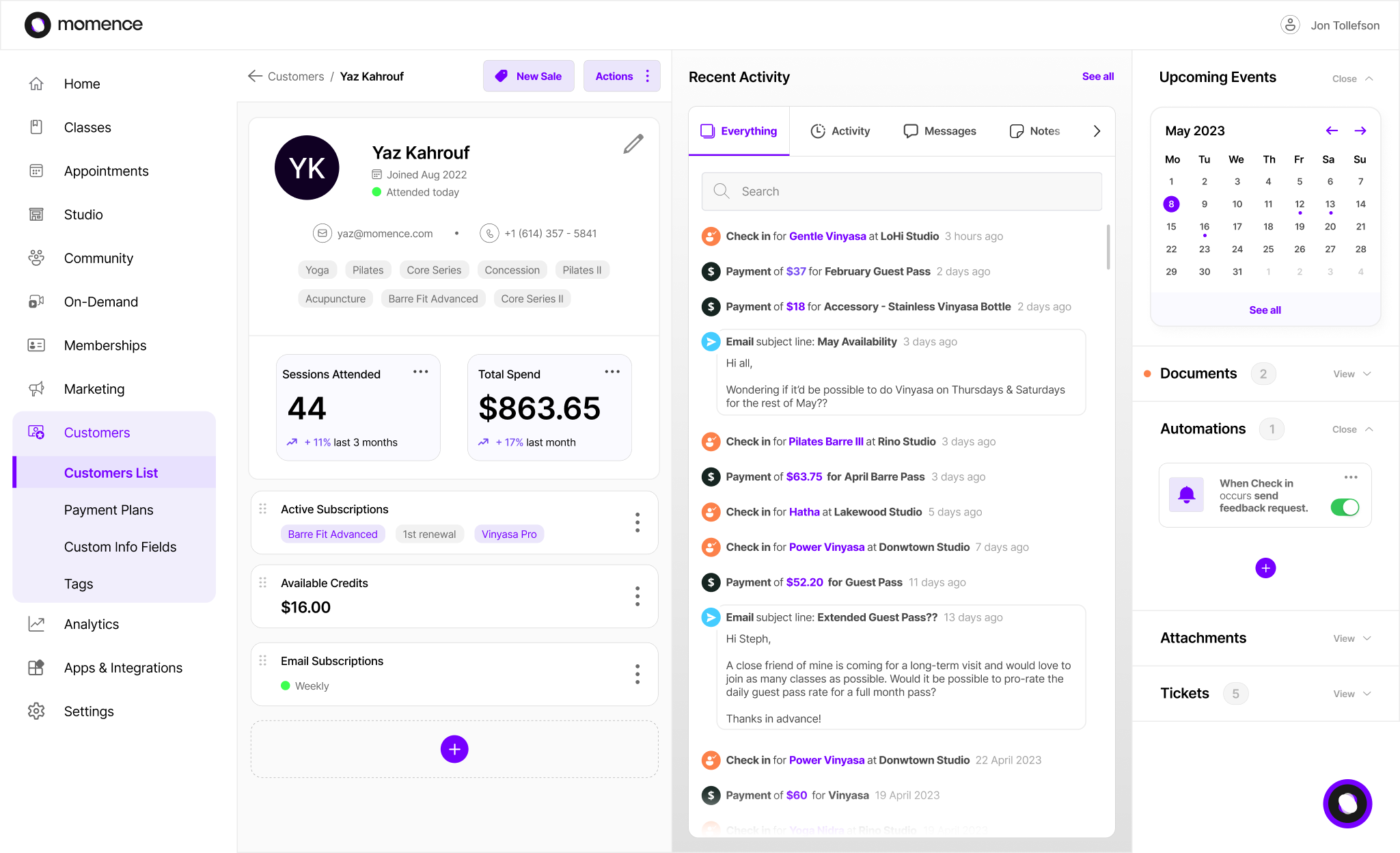
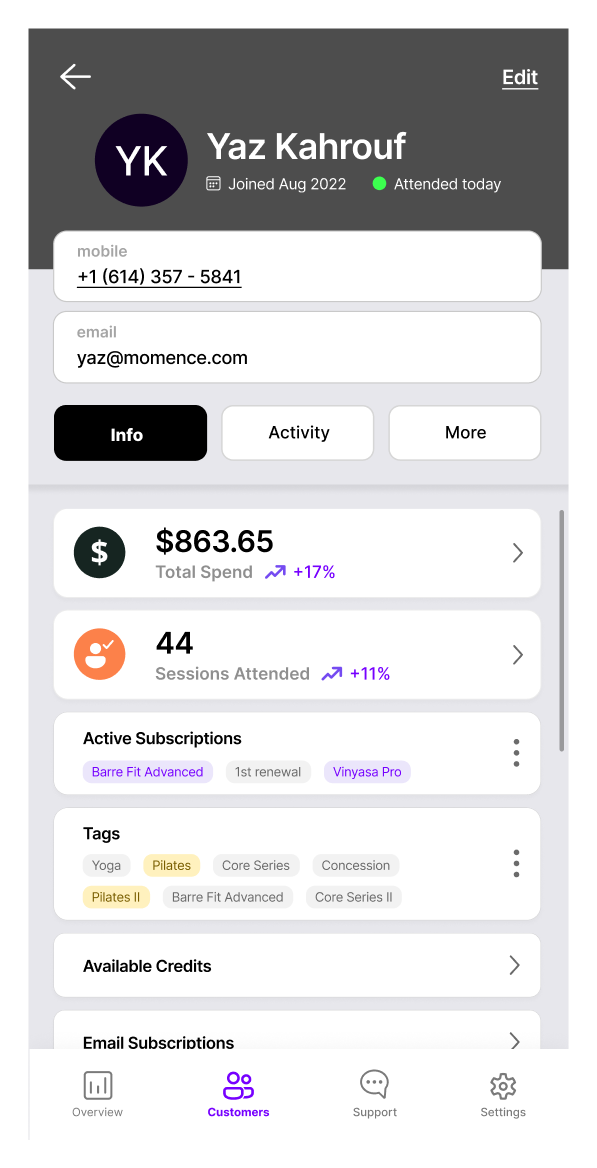
Schema first, surfaces second. Web and mobile aren't two designs — they're the same four categories re-prioritized for two readers. Nothing net-new; just a different lead for a different screen.
One screenshot, 48 hours, no users
The honest version — and why it's the argument, not the apology.
48 hours from brief to submission. One screenshot to work from. A written spec for a single yoga-studio admin. Not shipped. Every decision mine.
That used to read like a column of caveats. It's the opposite. The four-category schema didn't come from a research budget or a quarter of iteration — it came from looking at the mess and naming what was in it. That's the part that travels to any data-dense admin redesign.
Structural insight doesn't need a marathon. It needs a model.